

Archive of Previous Meetings
Monday 9th November 2009
Two items on show this evening:
1. Tony Hawes brought along his laptop with Windows 7 64-bit installed and demonstrated and commented on the features in Windows 7 which appealed to
him most: Aero snap to pin items to the sides of your desktop. Aero Peek for temporarily minimising (clearing) the icons on the desktop. Libraries
for quick access to most used documents and images.
2. He then moved on to a demonstration of Nuance PDF Converter Professional 6 in action with his Epson Perfection V700 Photo scanner doing the
scanning. He demonstrated the main features of the program which included how to create, convert, edit and share PDF files. At a fraction of
the cost of Adobe Acrobat, PDF Converter 6 was shown to be a worthy and cost effective alternative.
Monday 12th October 2009
This month's meeting consisted of three items:
1. A short practical introduction to some of the new and interesting features of Windows 7 which went on sale 10-days later.
2. We then saw three short introductory videos from Corel showing what's new in Corel's new, cheap and easy-to-use Digital Studio 2010 suite of programs.
3. Laurence Fenn then gave a practical demonstration of Corel Digital Studio 2010 in action.
Monday 14th September 2009
Paul Kuzmin showed his 1-TByte Linux Ripserver NAS (Network storage System), Linn Akurate DS (Digital Streamer) and speakers showing how the whole system worked together.
Monday 8th June 2009 - Improve Your Photo Taking
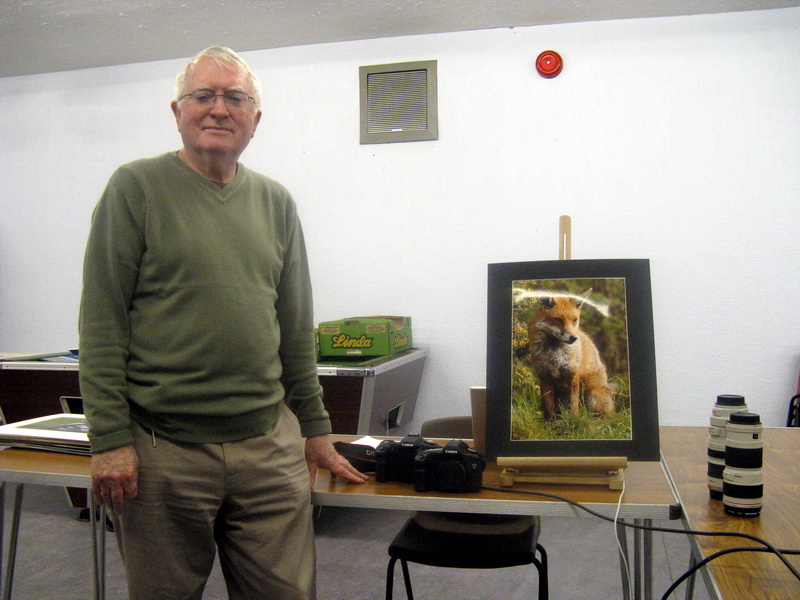
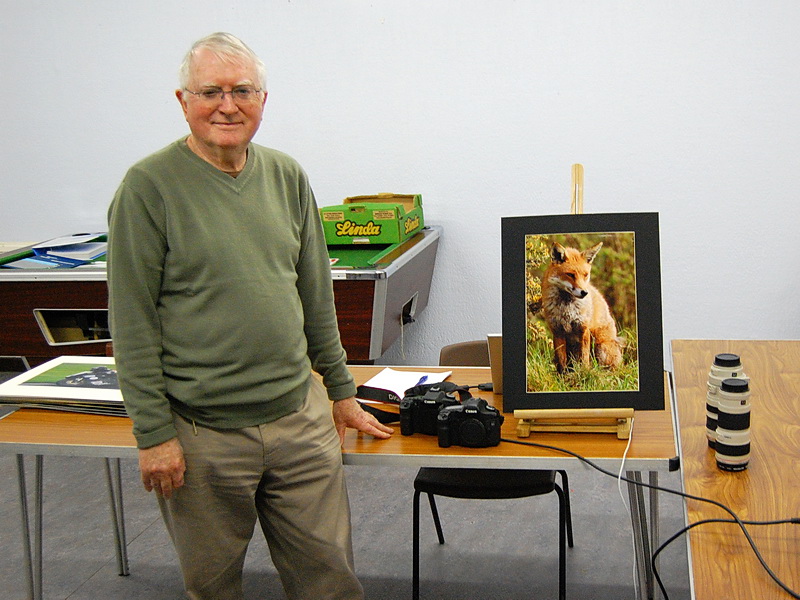
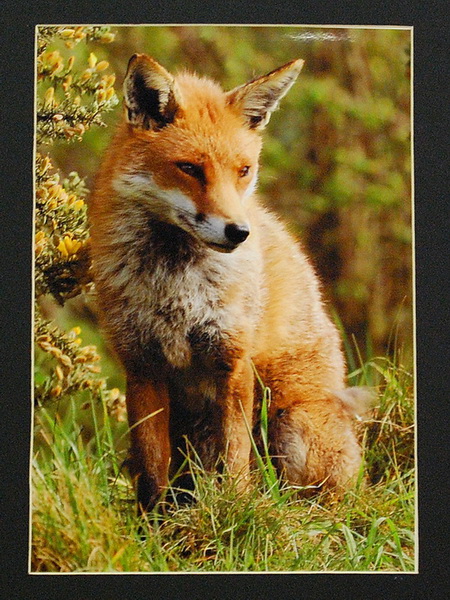
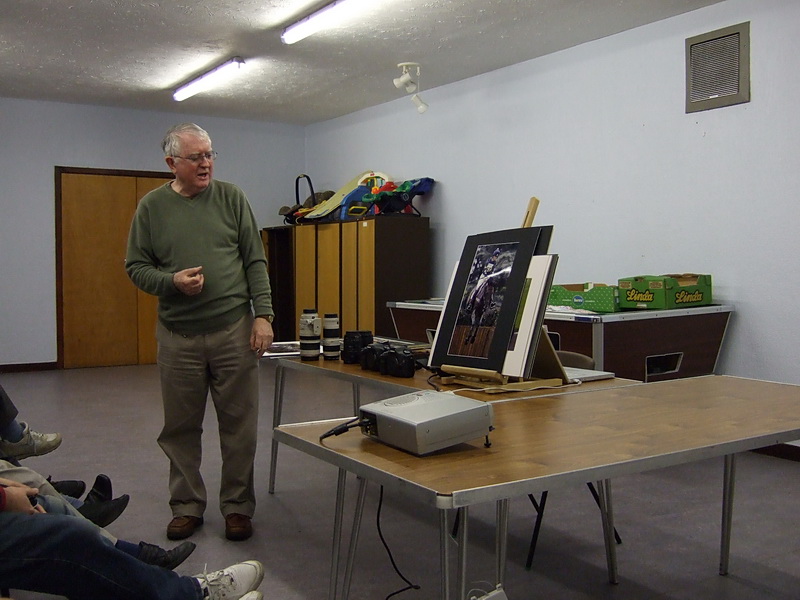
John Childs presented an interesting evening discussing his photography hobby using Canon cameras and various lenses which he manages to wield without a tripod. All these lenses are zoom lenses apart from a 50 mm traditional fixed lens and he mentioned that fixed lenses are actually more expensive than zoom lenses. He discussed the difference between JPEG for every day use and RAW images for special pictures that can have a lot more processing done in Photoshop or Paint Shop Pro. He also gave a number of useful tips for our summer holidays such as avoiding putting the subject in the middle of the picture and much better to put in one of the outer 1/3 sections. This tends to make the picture look more dynamic. Also if the subject is moving in especially sporting pictures it is a good idea to leave a space in front of the subject to move into which looks much more natural than the subject heading out of frame. In animal shots he generally aimed for the eyes and blurred the background and often crops the picture to focus especially on the animal. He said the blurring the background was very difficult for small cameras to achieve.
Another mistake in photos was not to include a focal point in many landscapes that draws the eye. The timing of pictures was also thought to be essential in landscape pictures with dawn and dusk being the best times. It is also good to give an object of sense of scale in the case of statues and monuments especially. In wildlife scenes it is best to go in as close as possible. He also favoured the use of diagonals such as in a picture of motorbike racing and he showed as some successful panning where the motorbike was in focus and the background was blurred with the motion. He then brought out his spectacular prints which looked incredibly lifelike, my favourite being the otter. I was really impressed with the quality and it is good to see such enthusiasm.
Photos taken at the meeting (resized for display)
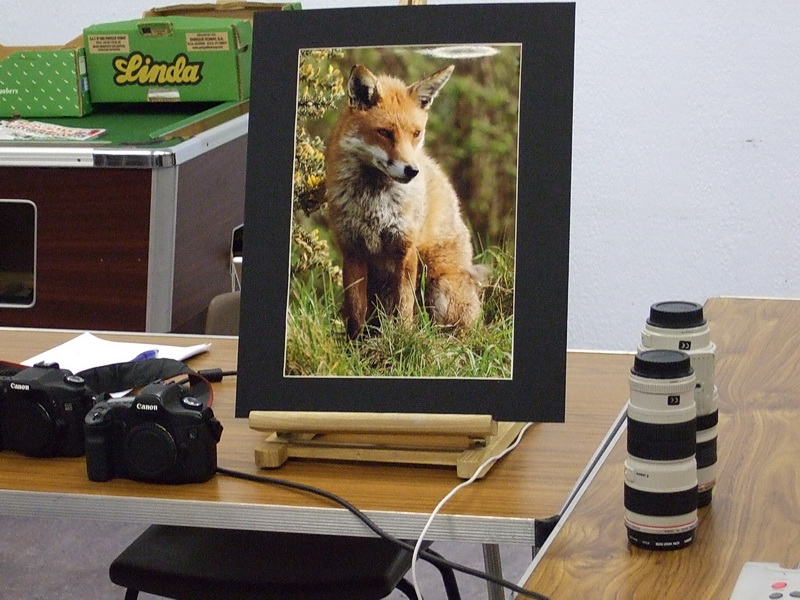
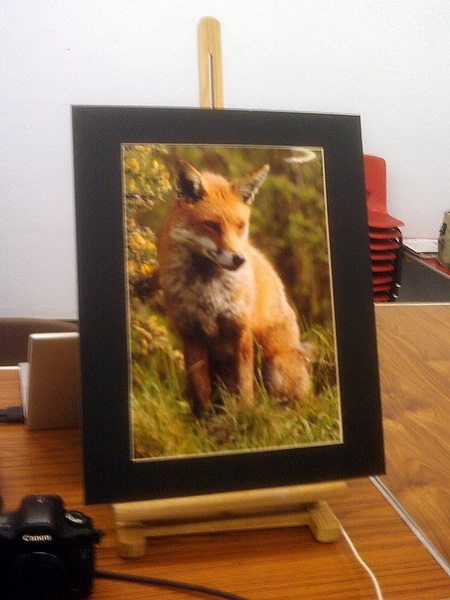
Next September and I plan to demonstrate the Ripserver LINUX network storage device alongside a Windows or LINUX computer with loudspeakers I bought some time ago from Tony. This has enabled me to archive my entire CD collection and I hope to also put a couple of DVD movies and some pictures on just to show what it can do.
Monday 11th May 2009 - AGM and Epson Scanner
Monday 11th May 2009. We held our annual general meeting and Francis Jacques was re-elected treasurer, Paul Kuzmin secretary and Tony Hawes the chairman and editor of ROM magazine. The treasurer said that the subscription to the club would remain at £20 but this would not quite sustain us in through the next year. The membership had fallen quite drastically and as the landlords insisted that the charge for our hire of the hall for the night could not be reduced below the existing £36, it was decided that we would miss the July and February meetings as well as the August meeting so that we met nine times a year. This was proposed by Kevin Kibbey and was seconded by general agreement and a show of hands. With just nine meetings we should be able to cope without raising the subscription. There was also discussion about whether a different venue could be found but this might be more a longer term objective. The University of Surrey was one considered location.
Tony then went on to demonstrate an Epson scanner - not the one that he had hoped to be lent by Epson, but his own Epson Perfection 4990 photo instead. He demonstrated the various masks for transparencies and negatives as well as the very good OCR capability of Abbyy Fine Reader. His laptop was running the first release candidate for Windows 7 and seemed to function perfectly well. We all admired the photo restoration qualities of Epson's software that comes with the scanner, in particular the restoration of badly faded colour transparencies with a pronounced pink cast to near true colours, and all at the click of a mouse, without the intervention of Photoshop or PaintShop Pro was quite amazing.
Monday 20th April 2009 - Crazy Talk 5
Our webmaster (that's me) Laurence Fenn gave a demonstration of Reallusion's Crazy Talk 5. This program can take a photo and turn it into a talking animation. He showed how you mark the defining features on a face and then import a sound file to animate to. You can add background music and move tehe features on the face as well as add effects and objects like glasses, hats or a moustache. As the whole process can take a while to create, he played some files he created earlier, like a gorilla singing Phil Collin's "In The Air Tonight" and also his niece's dog Ozzy singing "Take Me Out" (by Franz Ferdinand). YouTube has quite a few videos created with this software, and you can create video files in a variety of formats, included mobile phone files and flash video files.
You can see examples of what can be done with the software at this Ozzy Sings link or this Tom Speaks link.
Monday 9th March 2009 - Resizing Images/Ricoh R10 Camera
Our meeting on Monday 9th March was in three parts. It started with a most interesting talk by Laurence Fenn on Resizing Images on your PC with the minimum loss of detail. He first listed the various image sources, digital cameras, mobile phones, email scanner or web downloads etc. and then asked the question "why resize". Perhaps your image is too big, it consists of too many KBs to send by email, to add to a document or for a web page or even too small to print out for your requirement. He then went on to explain the resampling methods available and the factors to consider:- blurring, colour depth, resolution etc and showed examples. He then listed the software that can be used to resize images and their various prices. Laurence will be putting an expansion of his talk on the club web site, available in the Articles section.
Continuing on this theme Tony Hawes demonstrated a free program Image Resizer which is part of Microsoft Power Toys for Windows XP. This is available at Power Toys website. By right clicking on an image and selecting "Resize Pictures" the image can be converted to one of four standard sizes, small, medium, large or handheld PC. For example when an image of 400KBs is reduced to "small" it occupies only 69KBs. The image can also be resized to a "custom" size.
The evening finished with John Childs describing the Ricol R10 camera. This is one of the better compact cameras available in the £150 to £200 range. It has a 7.1 optical wide angle zoom and 10 million effective pixels. The sensitivity is given as ISO 1600 but John (who is a very experienced photographer) detected noise starting to show above about ISO 400. It has a 3 inch LCD monitor and has a well constructed body. For the market it is designed for it would be a good choice. That ended a most interesting evening.
Monday 12th January 2009 - Continuum Theory
We had an interesting and rather different talk at our meeting on Monday 12 January, our first meeting in 2009. Miles Osmaston agreed to give an introduction to Continuum Theory. His talk was based on a paper he delivered to a conference on the "Physical Interpretations of Relativity Theory" held at Imperial College, London in September 2008. In his talk, which took the form of a Power Point presentation, after a brief introduction to Continuum Theory, Miles argued that the aether as required by James Clerk Maxwell in has famous equations of the 1870's but avoided by Albert Einstein in his Special Theory of Relativity of 1905 was of fundamental importance. Its neglect under the general relativity banner had been highly detrimental to scientific progress as it had fostered the intangible concepts of Big Bang, Dark Energy and black holes. He explained how the acceptance of the aether can lead to a new understanding of gravitational forces and he then went on to illustrate how this can clarify the formation of galaxies and planetary systems like our own. A very complex and thought provoking talk requiring much concentration. We must thank Miles for the work he has put into these subjects and sharing his conclusions with us. The paper he gave to the conference sponsored by the British Society for Philosophy of Science is on the internet at www.physicsfoundations.org.
Tuesday 9th December - Christmas Quiz
Due to a clash of bookings this months meeting was held on Tuesday 9th December 2008. It was our annual quiz competition night again, with the quiz nearly completely compiled by Tony Hawes, as every year. This time he did not start off by assuring us all that this years questions would be much easier. We never believed him anyway. As usual the quiz consisted of twenty questions with four possible answers. As the papers were being marked we had coffee or tea with mince pies while we waited anxiously for the results. The winners were, first Paul Kuzmin and second equal, Francis Jacques, Laurence Fenn, Mike Bray and Dave Thomas. I go no further down the list to avoid embarrassment. It is a great quiz as all contesters managed to get a prize.
The superb range of prizes were donated by Corel, Logitech, Magix, Norton, Paragon and others to whom we are very grateful.
The quiz questions and correct answers are on the web site from here.
Monday 10th November 2008 - Logitech Z5 speakers and Nero 9
Our meeting on Monday 10 November was in two parts. It started by Tony Hawes showing the new Logitech Z5 speakers designed for use with a laptop. These are small Omni directional stereo (2.0) speakers powered from your computer's USB connection. Being Omni directional the stereo experience fills the room. Tony demonstrated them by playing extracts from CDs and a DVD. This included a wide selection of music which included the following:
- Jazz: The Jacques Loussier Trio's famous recording of Bach's Air on the G String from the album "Play Bach". This recording was used in the Hamlet cigar advertisements for over 35 years.
- Vocal 1: Katherine Jenkins singing Pie Jesu from her new album "Sacred Arias".
- Vocal 2: Elena Kats-Chernin singing "Eliza's Aria" from the "Wild Swans" ballet. "Eliza's Aria" features in the Lloyds TSB advertising campaign.
- Instrumental: Alison Balsom playing the first movement of Hummel's Trumpet Concerto from her album "Haydn and Hummel Trumpet Concertos".
- Orchestral: Elgar "Coronation Ode 1902 - Land of Hope and Glory" finale.
- DVD: Walt Disney's "Fantasia 2000". Camille Saint-Saens "Carnival of the Animals" (finale).
We were all very impressed by the quality from such small speakers. They came on the market about a month ago priced at about £60.
The second part of the evening consisted of a demonstration by Laurence Fenn of the Nero 9, the latest version of the world's best selling digital media suite. Laurence found the installation tedious, taking over four hours. He had to download the updates from the website in order tog et it to install. It is a major revamped interface. In addition to CD and DVD burning it includes a wide range of functions including video editing, media streaming, and file backup. The software can now identify and remove commercials from recorded TV programmes. Some Vista enhanced features (such as the Live TV sidebar gadget) are not yet available and will appear in an update, but as details are not given in the updates as to what is included, it could be difficult to know when they are available. Taking everything into consideration including the installation Laurence was not impressed and suggests that if you're satisfied with version 7 or 8 you should stay with it.
Monday 12th October 2008 - Dragon Naturally Speaking 10 and Dyson DC25 Ball vacuum cleaner
Paul Kuzmin showed his expertise with Nuance's Dragon Naturally Speaking 10. Starting off with a minimal voice training session, using a headset/mic connected to the audio front ports of a Acer Laptop. Paul showed how easy it was to talk to the computer and get a legible stream of spoken words to appear in a MS Word document. He showed how to format the document with different font styles, paragraphs, heading etc.
He then tried the wireless headphone option using a Plantronics wireless headset. This worked brilliantly with Paul being able to walk around the computer dictating all the while. As an experiment we asked him to get as physically far away as possible from the computer to see whether the increased range would degrade the signal received by the computer. No difference was noted and again a legible stream of text was translated into the document.
Our next request was for him to talk as quickly as possible to see whether it was possible to overload the signal processing capabilities of the program (and computer) in transcribing speech into text. Again the program coped very well indeed, there was a short delay between Paul's dictation and the result appearing on the screen, but it did appear as an almost verbatim transcription.
Overall this was a very good demonstration of Dragon Dictate 10's capabilities and Paul is to be complimented on his expertise in his use of the program.
We next had Mike Bray showing how easy it was to manoeuvre Dyson's DC25 Ball cleaner around our feet, under the tables and around the chairs. Given that this was Mike's first time in handling a ball cleaner he did remarkably well, even if he did dent a few toes during demo. An interesting evening.
Monday 8th September 2008 - Acer Aspire 8920G Laptop
No meeting, as usual was held in August and our meeting on Monday 8th September took the form of a demonstration of the new Acer Aspire 8920G laptop by Tony Hawes. The 8920 is a powerful computer with an Intel Core 2 Duo 2.4 GHz processor, 4GB RAM and a 320 GB hard disk. It has a 18.4 inch TFT (1920 x 1080) screen and an integrated HD Blu-Ray DVD system.
The first demonstration consisted of comparing HD Blu-Ray output with normal DVD using Sony's $quot;International Blu-Ray Demonstration DVD". The substantial benefits were easy to see and a number of examples were shown. The next demonstration was done using Dolby's "The Sound of High Definition" DVD, again a useful introduction to the benefits of Dolby's sound processing with clips from Blu-Ray Dolby encoded movies.
The laptop includes a built in 5:1 speaker system. The "HD" aspect of the sound was interesting but one wonders if this provision is justified when taking into consideration the poor quality, as you would expect, from the small built in speakers. The sound system itself, is of course to Dolby's HD Standard and would have been better demonstrated by connecting the sound output by way of the fitted HDMI interface to an external Dolby 5.1 or 7.1 sound system. On the left of the keyboard there is a very clever and useful touch-screen type control system for the DVD system. The very interesting evening continued with a demonstration of a commercial Blu-Ray DVD film "Underdog" how standard DVDs looked when played on the laptop and concluded with a short demonstration of Microsoft's Flight Simulator.
An impressive looking laptop - currently on sale at Amazon.co.uk for £899.99.
Monday 14th July 2008 - Relational Databases
The talk on Monday 14 July was given by Dennis Skinner and Frances Jacques on producing a relational data base using Microsoft Access. Dennis explained that in the 1970's separate programs or tables were produced to cover a particular event or in a company a particular project. It was not until the 1980's or 1990's that tables were being produced to use the same facts for a number of purposes or combining one set of facts with another. These tables are part of a relational database and Microsoft Access is a relational management system.
Dennis outlined a number of tables (about 13) associated with cycle racing. They covered such things as participants, venue, race length, clubs, race dates etc. and he outlined how they could be associated for a particular race.
Frances then demonstrated how the tables are created in Access, how the fields are specified, the properties of each field are set and the data type for the data the field will store. When all the tables are completed the information for a particular race at a particular venue can be set up by creating Multiple Table Queries which he demonstrated. Frances also showed how handicaps can be calculated using Excel and added by the use of a basic query.
Although the tables require detailed setting up which is time consuming the series of tables can be used for many events and can be updated as required. Frances has not yet completed the whole procedure but promised to demonstrate the complete operation at a later meeting. Members will remember on Monday 8th October 2007 Frances demonstrating on Excel and Access a program he had developed for a single race with up to 120 participants. This new program takes the documentation much further with a more general application. Frances, our treasurer, enjoys cycle racing in his spare time.
Monday 9th June 2008 - Vectrasoft
Ross Carter was supposed to be demoing Vectrasoft web author, but didn't turn up. Instead, Tony showed the press pack for one of Epson's new A3 printers, the 2880. This takes nine cartridges (one yellow, two cyan, two magenta and four different blacks) to product some great looking prints. Tony had emailed Epson some of his photos which they printed on the new printer and sent back to him in the mail. A full review of the printer will appear in ROM if we get one to review. The members that turned up to the meeting had a general chat about computer topics, but the evening finished quite early.
Monday 12th May 2008 - Microsoft One Care
Your editor showed Microsoft's Windows Live OneCare 2.0, which Microsoft describes as an all-in-one, self-updating PC care service. Windows Live OneCare has had a shaky history, but as demonstrated the latest version, Windows Live OneCare 2.0, is vastly improved and fixes most of the problems of the earlier 1.6 version whilst at the same time adding a matching set of features that complements the built-in security and PC health features as found in Windows Vista.
Like previous versions, it combines antivirus, anti-spyware, and firewall security features with PC tune-up functionality and a first-class PC backup and restore service. But the latest version takes these features to the next level with centralised multiple-PC management, monthly progress reports, online photo backup, and other new features. One particular feature that Tony enthused over was the Start-time Optimizer. While Windows users can turn to a number of places in the User Interface to control what applications run when Windows boots, there's never been a truly excellent and centralised control panel for this kind of functionality. OneCare 2.0 seeks to fill this need with a new Start-time Optimizer, which is available via the Tune-up tab of the OneCare Settings dialog.
Among the other features the anti-virus trapped Tony's pet nasty virus in its tracks and the Firewall appeared safe whilst backup backed up working files on a daily basis, with very little in the way of impact on resources.
A fine set of tools with a demonstration that made for an interesting and informative evening.
Monday 14th April 2008 - AGM and Encyclopaedia Britannica 2008
The evening started by holding the AGM. As the Chairman position is vacant the meeting was opened by Tony Hawes, the Editor of ROM. Tony emphasised the importance of ROM and but said it was still an uphill struggle to get articles. He thanked these who regularly provided contributions but asked for more members to give some thought to it.
The Secretary, Bryce McCrirrick, pointed out how important it was to increasing our numbers. It is only with a considerably larger audience that we can reasonably invite representatives of manufacturers to come and discuss their products. The last five or so months the talk has been given by Tony, and we are very grateful to him for this but he must be running out of subjects. The Treasurer, Francis Jacques, presented the accounts. Under the new management of the hall our rent expenditure over the last year has decreased and we are still in the black and showing an increase in our reserves. He recommended that the subscription for the next year should remain at £20. The committee then stood down.
Tony Hawes was proposed and seconded as Chairman and Editor of ROM which was agreed unanimously. The other positions of Secretary, Treasurer and Web Master remained with the incumbents who were elected unopposed by the members present. The first action of the new committee was to propose that the subscription remain at £20 as suggested by the Treasurer. This was agreed and the AGM closed.
The evening talk was given by Paul Kurmin and his subject was the new DVD Encyclopaedia Britannica 2008. He started by comparing Britannica with Encarta. He found that Britannica was considerately more academic than Encarta which was rather "theme park" but commented surprisingly, with examples, that Encarta gave more emphasis to British matters. Britannica was rather "Americanised".
Britannica includes over 100,000 articles, 20,000 photos and illustrations and over 2,000 maps and organises them in a logical way with a browser-style presentation with a clear row of icons at the top.
The user is introduced to three age categories: Britannia Elementary Library for ages 6 to 10, Britannica Student Library for ages 10 to 14 and Encyclopaedia Britannica Library for older students and adults. Each category had a further subdivision such as (for the main library) Brainstorm, Timelines, Workspace, Explore, Atlas and Dictionary with a A-Z Browse down the left side. The atlas division, however, Paul felt was disappointing in that it did not provide detail and was to a small scale. Paul will be writing an article for ROM giving more details and installation information. A most interesting DVD and so different from the early 90's with its Britannica Encyclopaedia in 32 volumes (which I once had a copy of). The DVD is priced at £40.
Monday 10th March 2008 - Microsoft Office Publisher 2007
On Monday 10 March Tony Hawes demonstrated Microsoft Office Publisher 2007. This is part of the Microsoft Office Professional 2007 suite of programs but can be purchased separately. Tony said that 2007 seemed very similar to Microsoft Publisher 2003 which he uses for the production of ROM every second month, except that with the 2007 version it is now possible to download an add-on for the creation of PDF and XPS files. There appears to be an increase in the number of pre-designed templates for various projects.
Using Office Publisher 2007 he demonstrated how he prepares ROM. He starts by dividing the A4 page into three columns and places a text frame in each. On the front page he has a fourth text frame across the top for the headings. He showed the effect of various fonts and colour combinations to attract attention. He then imported text into the columns demonstrating how it can be made to flow from one column to the next and even to the next page.The inserting of pictures with their captions within the text and how the text wraps round them was shown. The rather tricky job of page numbering and labelling was discussed and the "Continued on page xx" and "Continued from page xx" link facility was shown.
The evening ended by illustrating what can be accomplished using the various templates for calendars, greeting cards, business cards, brochures etc which are provided. Tony's final demo was to show how easy it is to create individual "Lost and Found" and "For Sale" notices complete with photographs etc.
Monday 11th February 2008 - Plustek OpticFilm 7500i AI film scanner
On Monday evening, 11 February, Tony demonstrated this scanner and for comparison brought along his three year old Epson Perfection 4990 flat bed scanner to see how the results of the two compared.
He emphasised how important it was to transfer to a digital format the many 35mm transparencies or 35 film strips that we all have, r ecording memories of past occasions. Many of them, with the passage of time and handling, have scratches and colour loss. The Plustek 7500i AI is a professional scanner costing £395 and is fully described in the ROM article together with the software included.
The results of the tests of the Plustek compared to the Epson were very disappointing. The scratches were still showing and the colour loss was very obvious. The Plustek was slow, at 1200 dpi taking 6 minutes to scan and remove imperfections with the hardware rectification built into the scanner and the bundled SilverFast software. In the case of the Epson; corrections for scratches and the removal of dust and spots was carried out using their [Epson] bundled Digital Ice image correction and enhancement program. The colour loss was corrected using the EpsonScan software, but this scanner too was very slow, taking the same 6 minutes for a 1200dpi scan.
What could not be ascertained was whether the Plustek scanner or the supplied software was responsible for the disappointing results. Plustek comes with a plug-in for Adobe Photoshop permitting direct operation of the Plustek scanner via Photoshop, but as Tony does not have Adobe Photoshop installed on his computer it was not possible to assess whether this would have made an improvement. It was an interesting evening.
Monday 14th January 2008 - Windows Movie Maker
At our first meeting of the 2008 New Year on 14th January we had a practical demonstration of how to use Windows Movie Maker, a free application that comes as part of Microsoft's Windows XP and Windows Vista operating systems. The demo on a 64-bit Notebook used the latest Windows Vista version of Movie Maker, but there is not too much difference between this and the version that comes with Windows XP (SP2).
Windows Movie Maker introduces an easy and intuitive new interface that can help you turn your video memories into winning videos. The improved effects and multiple transition options in Windows Movie Maker, together with the high-end graphics power of today's PCs, can help turn just about anyone into a movie director.
With his JVC Camcorder connected to the computer via the Firewire port our Editor showed how easy it is using Windows Movie Maker to import video from a Camcorder, to Edit and trim video footage, add Music and narrations, create titles and end credits etc.
Having opened Windows Movie Maker, selected "Create a new project" and downloaded the footage to be demonstrated, we were shown how the unedited clips could be dragged to the Storyboard for editing. Next we were shown how to use the Timeline to edit these clips by trimming (cutting) unwanted footage and how to 'split' clips into two or more sections to make for easier editing. We were then shown a selection of the various transitions that could be inserted between clips to make for smooth scene changes. Our Editor also gave advice as to what to what transitions to avoid and what to use if one wants to wind up with a 'professional-looking' edited video. Following this we were shown how to select and add still photos into the Storyboard as part of the edited video, how to create and add titles, add music to the audio tracks and 'stretching' the tracks to fit and match the video footage.
Finally we saw a six-minute edited home video created with Windows Movie Maker which was ready for burning to DVD using Windows DVD Maker. Windows DVD Maker is only available in Windows Vista Home Premium and Windows Vista Ultimate, but not with Windows XP, which allows one to create professional-looking video DVDs that can be viewed on DVD players, regardless of geographical region codes.
Although Windows Movie Maker doesn't have all the bells and whistles of 'full' consumer video editing programs, for those on a tight budget or just wanting to experiment with video editing, Microsoft Movie Maker is surprisingly capable (and free) when it comes to editing your Camcorder home video footage.
Monday 10th December 2007 - Xmas Quiz
Monday 10 December was our quiz night again compiled by Tony Hawes, as every year. As usual Tony started the proceeding by assuring us that by popular request the questions were easier this year. At the end not one of us was of the view, as the results demonstrated. The quiz consisted of twenty questions with four possible answers. While the papers were being marked we had our coffee and hot mince pies. We waited anxiously for the results. The winners were: First Ric Evans, Second equal Paul Kuzmin and John Childs and Third Chris Kuzmin. I will go no further down the list to avoid embarrassment. The great thing about this quiz is that all contenders get a prize. The super prizes were kindly donated by manufacturers including Microsoft, Corel, Symantec, McAfee and others. To them we are all very grateful. This ended our 2007 series of meetings. The questions and correct answers are available to download on the Xmas Quiz page.
Monday 12th November 2007 - Lexmark X4550
On Monday 12 November Tony Hawes demonstrated the Lexmark X4550 All-in-One, this is a combined printer, scanner, copier and fax machine which also has a built-in 802.11g Wi-Fi for wireless printing. With multi-function devices fast gaining popularity among home users most printer manufacturers have a range of similar All-in-One Multi Function Devices (MFDs).
The Lexmark X4550, first available about April 2007 at over £120 can now be purchased for slightly less than £70. This was demonstrated using a USB connection rather than with the use of the Wi-Fi facility as Tony had found difficulty in establishing a reliable Wi-Fi link between his notebook and printer. First he showed the capability of the flatbed scanner including a simple Copy using the X4550's front panel button; this was particularly quick with an accurate copy of the original emerging within seconds. He then showed how well the optical character recognition (OCR) software (Abbyy FineReader 6 which is bundled and installed by default from the installation CD) worked, this impressively scanned and converted a magazine article into a Microsoft Word document in very short order - ideal if one wants to copy an article and extract content for later editing in Word. Other features demonstrated included the normal scan of a photo for saving to one's hard disk; using the Import function for importing files from a memory card and how to use the quite comprehensive editing features of the installed Lexmark editing suite.
In normal use the printer uses two cartridges, one colour and one black. For higher quality colour photo printing it's possible to install a separate Colour Photo cartridge. Colour printing using only the basic cartridges was demonstrated and the quality was considered to be more than satisfactory. Digital media memory card slots (SD and CF) let one print direct from the card without a computer being connected. The provision of a PictBridge socket alongside the memory card slots allows the connection of a digital camera with a PictBridge connection, in this way photos can be printed directly from the camera. The fax facility, of course, requires a fax modem in the computer.
The basic cartridges cost about £15 each. An interesting all-rounder for the price.
Monday 8th October 2007 - Excel/Access
Francis Jacques, our treasurer, enjoys cycle racing in his spare time and combines this with his computer knowledge to organise cycle races of various lengths with up to 120 participants. On Monday 8 October he demonstrated how the documentation is prepared using Access 2000 and Excel 2000. All the potential competitors have to enter with a form giving name, address, club,date of birth, past best time for this length of race, etc. From this information he sets up an Access database with additional fields for handicap, start time, likely finishing time and order of start. From this database he produces a Query to extract the additional information from the tables in accordance with criteria such as the formula for determining handicaps, the likely finishing time and order of start. The data is then transferred to Excel in order to produce the start sheets to be distributed to the competitors prior to the race and the result sheets afterwards. An Access report is used to print the competitors name, address and competition number on envelopes which are fed directly into a printer. A very interesting evening.
Monday 10th September 2007 - Symantec Ghost 12
On Monday evening 10th September Tony Hawes demonstrated Symantec Norton Ghost 12.
Ghost as a file transfer / back-up program was created in the late 1990s. GHOST is the acronym for "General Hardware-Oriented System Transfer".
In ROM Aug/Sept 2007 Tony reviewed this latest version of Ghost designed to work with Windows Vista and XP. The previous version, Ghost 10 was reviewed in ROM Apr/May 2006. An "official" version of Ghost 11 was not released by Symantec; they instead released Norton "Save and Restore" compatible with Windows XP and Windows Media Centre Edition. "Save and Restore" is essentially an enhancement of Ghost 10, with the addition of features to allow backup and restoration of individual files. Symantec released a Vista compatible version (Save and Restore 2) earlier this year to coincide with the release of Windows Vista. However both "Save and Restore" versions are less well featured versions of Ghost 12 that was demonstrated.
As Tony explained, every computer, no matter how carefully maintained is still subject to disaster, whether by viruses, Trojans, a faulty file, hard drive failure or some other catastrophe. A regular back up routine should therefore have a high priority. Tony demonstrated by backing up his laptop's hard drive to an external hard drive and proved how easy it was for Ghost 12 to backup files, folders or the entire internal hard drive including the operating system and subsequently be recovered.
By booting from the Ghost 12 CD that comes with the program, he demonstrated how the system could be booted into a reduced Windows interface with a Ghost recovery application, from which it's possible to choose a backup recovery point that allows backups to be recovered even when the computer could not be otherwise booted up.
He also gave a demonstration of Seagate's FreeAgent Go. This is a small external 160GB hard drive which includes software that lets you download from your desktop computer your working files like Word, Excel etc., carry them around and work on them elsewhere. Later these updated files can be synced to the appropriate files on your main computer when you return to base. To keep your data safe FreeAgent Go includes an application that offers strong file encryption to protect your content, and allows you sync your files from several PCs - an interesting concept.
Monday 9th July 2007 - Survey Results/DVD Home Moviemaking
The first part of the evening on Monday 9th July was devoted to a presentation by Laurence Fenn of his ROM Survey of how members use their PC's. The result of the Members Survey can be viewed on this Web site and will be included in the next issue of ROM.
This was followed by a tutorial DVD presented by Tony Hawes on "DVD Home Moviemaking - A Beginners Guide". Tony explained that the DVD was applicable to all the main home moviemaking programs including Pinnacle Studio Plus, Ulead Video Studio and Adobe Premiere Elements. The tutorial covered the subject from basic concepts to a professional standard in chapters covering such subjects as, DVD standards, shooting your video, transferring home movies from camera to PC, video editing, adding sound and special effects, adding stills, and burning to disc. I am sure that this introduction to the subject will encourage members to think seriously about acquiring a camcorder.
Monday 11th June 2007 - Paint Shop Pro Tutorials
On Monday Tony played some of the Lynda.com tutorials that come with Paint Shop Pro XI Photo. They cover everything from the basics of photo editing to the more complex procedures. We saw how to rotate your image, adjust the levels to compensate for lack of flash, correct skin blemishes, whiten teeth, remove objects and crop images ready for printing. The woman doing the voice over had a strong American accent which took a while to get used to but she didn't use too technical terms in her descriptions. Some of the subtle changes were lost in viewing the files using the projector (as opposed to watching it on screen), but the technique will be of tremendous help to those who use this cheaper alternative to the more expensive and complex Photoshop. An informative evening.
Monday 14th May 2007 - XP to Vista and Clickbook
On Monday 14th May Tony Hawes started off the evening with an interactive demonstration showing how to upgrade your operating system from Windows XP to Windows Vista. He explained that both operating systems had a number of versions and whereas Windows XP offers different editions of the operating system based on the type of computer using it; Windows Vista offers different editions based on the features users want on their computers.
The demonstration was based on the initial chapter from the "Windows Vista Ultimate - Professor Teaches" from the "Professor Teaches" series of training courses on DVD. This augmented the article he wrote for the April/May version of ROM and was a very clear explanation of the operations and processes to be considered when upgrading to Microsoft's new OS and the more obvious visual differences between Windows XP and Vista.
The evening ended with Tony explaining and demonstrating a printing program that he has been using since version 2 in the mid-1990s by Blue Squirrel software called ClickBook. This is a very easy to use program which will turn anything you can print into a booklet format (and others). ClickBook will take any of the many varieties of computer and Windows application documents such as Word, Publisher, PDF, HTML, text etc and shrink the pages or rotate the layout to fit the output format you have chosen. It will print both sides of the paper and always maintaining the book page numbering. Tony demonstrated this program by printing the latest 16-page long ROM, a MS Publisher (.pub file) as an A5-size booklet which needed just four sheets of A4 paper, thus saving paper and ink or toner and perhaps creating a more convenient format for reading and storing. Now up to version 10, ClickBook is available for download from the Blue Squirrel site for about £25 from: http://www.bluesquirrel.com/products/clickbook. This ended an interesting evening.
P.S. Tony has confirmed that titles in the Professor Teaches series of computer based training packages are currently on offer with useful discounts from Electric Software, the UK's distributor. Discounts are only on offer until the end of May so pop over to: http://www.shop.electric-software.co.uk for further details.
Monday 9th April 2007 - AGM
Individual committee members explained their past years' activities and the treasurer presented the accounts. The Chairman (Tony Wood) mentioned that the past years' activities are recorded extensively in the April - May 2007 edition of ROM, the Group newsletter and members were directed to the Group web page to download a copy if they had not already done so. Overall we have had a good year with p resentations and demonstrations at most meetings, but membership remains static and existing members are encouraged to recommend potential new members from among their friends or colleagues emphasising that new members are always made very welcome. The committee welcomes suggestions from members as to how we can raise awareness of the Group and make computer users in the area aware of our existence.
The Treasurer (Francis Jacques) presented the accounts of the group; these showed we are still in the black; this is accounted for by the decision made at last years AGM when it was decided that the Group newsletter (ROM) would no longer be printed and posted to members, but only available as a download from the Group web page, thus leading to substantial savings. The Treasurer mentioned that on the assumption that membership remains at the current level or higher there is no need to raise the membership fee beyond the current £20 pa. Copies of the accounts were handed to members.
The Editor of ROM (Tony Hawes) said it was still an uphill struggle to get input for ROM, but he was very thankful for the assistance made by those members who made regular editorial contributions.
The Membership Secretary (Maxine Bushell) was absent but she considered (in a separate contribution) that with ROM now only available as a download, the necessity of recording individual postal mail addresses and printing the labels for despatching ROM by post was no longer a task that need a separate member of the committee. It was agreed therefore that the post of Membership Secretary would be allowed to lapse. A list of members is available from the Treasurer who records their details when they pay their subscriptions.
The committee then stood down and election of new committee took place. Unfortunately there was no volunteer for the post of Chairman, which is currently in abeyance. However, the former Chairman agreed that he would remain the registered Group key holder for the keys to the hall. The positions of Treasurer, Editor of ROM, Secretary & Public Relations and Web Master remain with the current incumbents who were elected unopposed by members present. Contact details of Committee members will appear in the June / July issue of ROM.
Monday 12th March 2007 - DVD
Our talk on Monday evening was by our audio/video expert Laurence Fenn on DVDs; and a very comprehensive review it was. It took the form of a specially produced DVD he had designed to detail his talk and provide illustrating clips. It started by outlining the history and capabilities of video recording systems from the Laser Disc invented by David Paul Glegg in 1958, through the Video CD with all the "rainbow book standards" of CD, Super VCD to the present DVD specification announced in 1995 and finalised the following year. A detailed specification of the various forms of the DVD was then given and the features supported. The reasons for regional coding was explained and a map of the world regions shown. Recordable DVDs with the five different recording formats for recording one's own material were discussed and the data capacities shown. The application of DVDs for games with interactive facilities was discussed with illustrations. The presentation ended by discussing the future of video recording with the now immerging Blu-ray and HD DVD specifications for the support of high definition 1080p. Throughout the talk snippets of program material was show to demonstrate the points being made. Copies of the demonstration DVD were available after the talk. Members of club were much appreciative if the large amount of work Laurence had put in to the preparation of his talk and demonstration DVD which will cover "everything you want to know about DVD" for a long time to come.
Some links relating to the software used:
DVD-lab Pro 2 was used to author the Demo DVD, and is available from Mediachance at www.mediachance.com.
VideoStudio 10 was used to create the video titles, and that's available from Ulead Systems at www.ulead.com.
Crazy Talk was the software I used to create the Ozzy Talks video clip, animated lip syncing from a digital photo. Available from www.realllusion.com.
DVD Shrink is used to 'backup' your DVD films from a dual layer original to a single layer copy. A free download from www.dvdshrink.org.
P.S. Copies of the Demo DVD are still available to members. Just email me to request a copy and pick it up at the next meeting. Full details of the disc are available here.
The Presentation Notes are available as a PDF download.
Monday 12th February 2007 - Photography
On Monday 12 February we had a memorable evening. Our John Childs, also the Competition Secretary for Digital Images at the Farnborough Camera Club, gave a comprehensive talk on digital photography; his hobby. He explained that almost all the work at the Club was now digital rather than film. Although certainly not cheap, professional digital equipment was now available at a more reasonable price. He did however subtitle his talk "A discourse on the wisdom of spending a small fortune on one's hobby". Laid out on the table he had many examples of his work; mounted A3 prints, which were quite outstanding. He started by considering the range of cameras available from the "point and shoot" (perhaps part of a mobile phone) to the SLR with interchangeable lenses and showed his two Canon SLR cameras and the assortment of lenses he had available. He discussed the 5 sizes of sensors which are incorporated in various cameras and their merits, mentioning that Canon was the only manufacturer to incorporate a full frame sensor such that a 20mm lens behaves as 20mm. He mentioned the advantages of prime lens over zooms and the stabilising of the image. Most cameras can record the image as RAW (uncompressed) or JPEG files although the actual specification of RAW seemed to vary between manufacturers. He outlined the advantage of RAW although the file size is about 4 times that of JPEG. He then went on to demonstrate the type of corrections that can be made using PhotoShop before processing into the TIFF format. He emphasised, however, the importance of preserving the RAW image on, for example, a CD, for future reference. He ended his talk by describing how he had calibrated his monitor using the Gretag Macbeth calibrator system, which costs about £180 and by always using Epsom inks and Jessop's glossy paper had profiled his Epson A3 printer, thus avoiding a lot of abortive guesswork in producing prints which matched the image on the computer screen. An outstanding evening.
Monday 8th January 2007 - MP3
On Monday 8th of January for our first meeting of the New Year we had a sound evening presented by Tony Hawes. He started by discussing MP3 (Mpeg 1 layer 3). MP3 is a compression system and the one used in the popular iPod and other MP3 players. It can have a variety of compression ratios based on bit rates of between 32 and 320 Kbps. and was a result of work carried out for the development of the DAB broadcast system. 320 Kbps represents basically no compression being applied, 192 Kbps very good quality and 128 acceptable. The sampling frequency can be 32, 44.1 or 48 KHz. with 44.1 being the most common. Tony demonstrated transferring a sound track from a commercial audio CD on to his laptop using Windows Media Player and "ripping" this on to his Acer MP340 (similar to a iPod). The track was then relayed on to a number of speaker arrangements. Examples of tracks at 32, 128 Kbps and 192 Kbps were demonstrated. Although accurate comparisons could not be made because of the acoustics of the room, the 192 Kbps sample played via the Logitech Z2200 with its hefty sub-woofer was obviously much superior.
A very small Logitech transmitter and receiver was demonstrated working on 2.4 GHz/s carrying the output from a MP3 player fed into the transmitter module, the transmitted signal being received up to 300 feet away by the small radio receiver which was connected to the amplifier of the Logitech speakers at the other side of the hall.
Another small transmitter was demonstrated, this time working on a number of frequencies in the FM VHF band such that an iPod or similar device could be relayed on to a FM car radio. This test involved the FM signal being received on Tony's portable FM receiver which again was at the far end of the hall. Such a low-power FM transmitter device only became legal a few weeks ago in early December 2006.
Overall, considering the size of the players, transmitters and receivers, the quality was surprisingly good. A dedicated audiophile would probably consider the sound not of the quality he would expect from a dedicated and expensive HiFi, but considering the cost of the products shown and from comments made after the demo, most of those present thought the demonstration provided a welcome introduction into the possibilities of using MP3 players in alternative and different ways, rather than just hearing them through a set of ear-buds stuffed into ones' ears.
We had a very interesting evening.
Monday 11th December 2006 - CHRISTMAS QUIZ
The meeting on Monday 11 December was in two parts. First Tony Hawes gave a short demonstration of the newly released version of Microsoft Flight Simulator X. At our September meeting he showed the capabilities of the limited trial version, which was on a free time restricted download. The latest version is a vastly improved product with a host of new features compared to "A Century of Flight" which came out in 2003. Tony describes it in ROM December 06/January 07. In his demonstration he showed short missions featuring a light aircraft, a glider and a helicopter. Perhaps the most obvious enhancements were the scenery, the showing of road traffic and the improved simulation of weather conditions.
The second part of the evening was devoted to our annual Christmas Quiz. As always Tony started by assuring everyone that this year it really would be easier by popular request. I am sure that at least some of us, no, most of us, were not of that view. It consisted of twenty written questions with four possible answers. While the papers were being market we had more Tea/Coffee and mince pies provided by the other Tony our chairman. To the delight of some and the embarrassment of others the results were announced. The winners were, 1st Paul Kuzmin, 2nd John Childs and 3rd Ken Kibbey. All contestant; I like this type of quiz, received super prizes kindly donated by Microsoft, Logitech, McAfee, Nuance (Scansoft} and others to whom we are very grateful. A very good evening.
The quizzes are available to download on their own page.
Monday 13th November 2006 - CANON 8600F SCANNER
Tony Hawes demonstrated the CanoScan 8600F scanner from Canon. Priced at around £137, it comes with plenty of software and attachments to enable you to scan photos, slides, negatives and documents. Features include 4800 x 9600dpi, 48 bit colour depth, FAU - 12 x 35mm film strip and 4 x 35mm slides, FARE Level 3 dust/scratch removal for film, Super-fast scan engine, Comprehensive software package with SilverFast SE, USB 2.0 Hi-Speed, 7 EZ buttons and Fast Multi-photo mode. Tony scanned some 1950's photos and with the help of the new version of Paint Shop Pro turned them from faded images into great looking photos. Transparencies and negatives (of various sizes) were no problem for the scanner, and documents were easily converted to PDFs using the supplied software and the dedicated buttons on the lid of the scanner. Laurence came up to show how you can tweak a picture using PSP XI, before Tony finished the eveing by scanning some bowling negatives. The scanner proved to be versatile and good value for money.
Monday 9th October 2006 - DRAGON NATURALLY SPEAKING 9
On Monday evening, 9 October, we were treated to an outstanding demonstration of the new Dragon Naturally Speaking 9 software by Dr Paul Kazmin. Paul is a partner in a local GP practice and has used Naturally Speaking from Version 5 to prepare patients clinical notes for a number of years thus saving much time and considerable expense. He wrote an article for ROM Aug/Sept 2002 on Version 6 and has reported on the latest Version 9 in the Oct/Nov 2006 ROM.
He started his talk with a brief history of voice recognition from the earliest IBM Voice to this latest version of Naturally Speaking. It is available in three levels. Standard at £80, Preferred at £150 and Professional at £645 (all prices including VAT). The software Paul was demonstrating was the Professional level with the medical enhancement. The facilities offered at the various levels were outlined. It operates with most popular applications, including word processors,email etc and has basic navigation and control functions for a limited number of applications, although for full computer control one must look to the professional level. Although the claims are that Version 9 "works straight out of the box" without training this was shown to be an exaggeration when Tony Hawes had a go but Paul confirmed that Version 9 was amazingly accurate; about 30% more than the prior release and his demonstration confirmed this. He also demonstrated the playback function which can be in the originators voice if you wish. He finally recorded some notes on a hand held recorder and then feed them into the computer to be "recognised". The evening ended with some interesting questions.
Monday 11th September 2006 - DVB-T (FREEVIEW) AND FLIGHT SIM
The evening started with Tony Hawes demonstrating two pieces of hardware to provide TV reception on your PC. The first was a new USB connected device not much larger than a memory stick by TerraTec Electronic, the Cinergy T USB XE. Obtaining it's power from the USB socket this provided all the Freeview TV channels and the radio channels included in this service. Using his notebook the installation procedure ran well, channels were scanned and all the channels were available and selectable by the menu. Although the nearest DVB-T transmitter, Guildford, can be seen from our meeting hall it is only a gap filling station using the top channels (41 to 54 operating at 100 watts). The signal from the tiny 6-inch vertical aerial provided was obviously only marginally sufficient showing up very noticeably on movement. The cost of the hardware is about £39.
For comparison the second piece of hardware was in the form of a PCMCIA card provided as part of a laptop package from Tony's daughter's new Targa notebook. Operated with Cyberlink Power Cinema, this provided DVB-T (Freeview), TV analogue and FM radio outputs and used a slightly larger vertical aerial. Again the installation went well and output on the digital service was very similar to that of the TerraTec Cinergy T USB XE. It also coped very well and received dozens of DAB radio stations. No price for this as its comes bundled as part of the laptop package.
Tony, in complete contrast, then went on to show a demo of the trial version of Microsoft's Flight Simulator X, the successor to Microsoft's Flight Simulator 2004. This available as a free 636MB download from: http://www.microsoft.com/games/flightsimulatorx/downloads.html. Flight Simulator X trial version includes two airports, three practice missions, and three different aircraft. All of the missions take place at St. Maarten in the Caribbean.
The new planes included in the trial (there are more in the full version) are a de Havilland Beaver DHC2 floatplane, an AirCreation Trike Ultralight and a Bombardier CRJ700. With improved scenery and more variable weather conditions this new version of Flight Simulator would seem to be an interesting edition. UK launch date according to Amazon.co.uk is 13th of October.
Monday 14th August 2006 - BRING YOUR OWN COMPUTER
This was the one evening in the year when members can bring their equipment to the club to get expert views on any difficulties they are experiencing or merely to show off any new purchases they have made. We then had a short presentation by Phil Ely, a lecturer at the University College for the Creative Arts at Farnham who is also a PhD student at the University of Surrey. It was in the latter capacity that he spoke on Monday. He is looking for willing participants to take part in a pilot study on the way that we innovate with home interactive technology. The study involves one home visit to create “ Technology Biographies”. These are profiles of users of home interactive technology and their attitudes to past, present and future technology in their home. The research forms a significant part of Phil's studies at the Digital Worlds Research Centre at Surrey University. Phil received a number of interested Club members and any one else interested can get further information at: www.philely.com or www.dwrc.surrey.ac.uk.
The evening ended with Tony Hawes demonstrating Pinnacle Studio 10 Plus. This was a reprise of the talk he gave earlier in the year (reported in ROM February/March 2006), of the then recently released Pinnacle Studio 10 video editing suite. For his August talk and demonstration he concentrated on the new features of the enhanced Studio 10 Plus version which incorporates the latest downloaded patch to bring the program up to version 10.6. Using a number of digital sequences from the Farnborough Air Show he showed how they can be edited by being spliced together using some additional still photos, which when enhanced with a number of different transitions, sound effects, background music and titles, can produce an interesting short and topical video.
Tony also referred to one item that he omitted from his Microsoft Windows Vista demonstration the previous month. This is the inability of being able to use Microsoft's PhotoStory 3 application to create pseudo “movie” (slide-show) sequences from a selection of still photos with Windows Vista. Microsoft considers that MovieMaker, a feature introduced with Windows XP and with an updated and improved version included with Vista, will do all that PhotoStory 3 does plus more. Tony considered this a retrograde step as he found PhotoStory simple to use and ideal for a beginner to be able to try out this powerful but simple to use graphical application whereas anyone who has used MovieMaker will realise there is a much steeper learning curve to be overcome before being able to use Vista's MovieMaker successfully.
An interesting evening.